Showing posts with label Issues. Show all posts

Friday, 1 October 2010

VMware Workstation 7.1.2 on Meerkat 10.10

You probably have noticed: VMware did it again.

They ship a new version, it offers update, downloads fine, installs with a breeze and
... zilch ...
crashes on restart.

vmmon and vsocks do not compile.

How many time does that have to happen?

Here is a patch:
patch-modules.sh
vmware-7.1-2.6.35-3-generic.patch

Download both. Then:
chmod u+x patch-modules.sh
sudo ./patch-modules.sh
This script will save the original driver tars, patch them and run the module installation script.

VMware Workstation should start fine.

Saturday, 16 January 2010

Could Canonical care less?

Happy new year,

I ask myself, is it happy really? After installing 9.10 on most of my machines last year, I run into every little error that one can imagine:
  • Left mouse button constantly not recognized (requires restart of GNOME)
  • Fan operates at full speed (acpi reports hot components even though machine is quite cool)
  • Suspend to RAM takes for ages (3 minutes fan runs on full speed, machines does ... what exactly does it?)
  • Resume from suspend brings the machine to sleep (have to wake it up again) every second sleep
  • scanning with xsane does not work (scanner still not recognized)
  • printing large documents sends garbage to the printer (large documents being 1 page documents with one picture on it) which terminates with CRC errors
  • CUPS does not allow canceling and restart of print jobs. Requeue does not work either
  • burning CD images is not possible. Brasero eats raw CDs
  • OpenOffice does not honor screen settings (like font size). Every other launch, my menus and fonts are microscopic
  • OpenOffice screen updates provide spurious artefacts (some lines are drawn only half in height, tables are squeezed, images are cut in half). Page down and up usually resolves this
  • Launchpad does not accept errors being reported the conventional way. It requires to send error reports from the help menu
  • Evolution terminates when sending mails to distribution lists that contain members with quotation marks and without in the same list (no kidding you). Distribution lists cannot be edited if there are similar entries in the address book.
  • SD cards are not recognized or automounted on most notebooks
  • Screen resolution cannot be changed on notebook screens. External connectors do not allow to choose between screen duplication or extension any more
  • Battery charge lasts for less than two hours on my major notebook. The same notebook with an 8.10 image reports 4h36 minutes on a full power pack
What annoys me most is that all these issues used to work in previous versions. Some stopped working as early as 6.10, sime as late as 9.10.

Were they reported? YES

Were they fixed? NO

Linux a franchise system

In a franchise system you have an idea about a business. You buy into it, get the proceedings, marketing material and the right to pretend to be part of something bigger. Franchise systems are more or less stringent. In the end, you save on preparing the market and can start the business right away.

A Linux distribution is similar. You decide which distribution you want, install it and live with whatever you got. Take SuSE, get a green GUI and KDE as the engine. You get a load of applications, need it or not. Take Fedore, you get blue and can choose between desktop engine and apps. Take Ubuntu and you can be sure to end up in the brown.

Initially Ubuntu claimed to provide well selected best in breed applications.

I'm not sure this is the case anymore. Telepathy follows Pidgin, PiTiVi follows GIMP, ...

Does Canonical care?

I have read about initiatives at Canonical to reduce the number of open errors. At the time, I was delighted.

Today, I look back at times when errors where treated as what they are: ERRORS.

All of the above mentioned errors (name it issues, problems, shortcomings, what ever) where not there in previous releases. They were introduced as part of system upgrades.

I reported these errors only to have them change from new error to either incomplete (at best), triaged (whatever that means, usually an acronym for: we wont fix it), fixed (interesting, no new version issued), wishlist (printing is more a requirement than a wish for some of us) or next release (which usually comes with recomendations to install e.g. 10.4 pre-alpha).

Frankly: I do not think that Canonical cares any more.
Frankly: I think Canonical lost focus
Frankly: I think we should seriously evaluate alternatives

Could Canonical care less?

I don't think they could care less than they do right now. I wished some executives had the insight that this is neither going to help the open source community nor Linux nor Ubuntu nor Canonical in the long run.

Sunday, 22 November 2009

VMware Workstation 7.0 works

Dedicated followers of this blog will remember my complaints about VMware never being able to provide a working installation.

After upgrading to Ubuntu 9.10 I had to reinstall VMware. 6.5.2 did not work, 6.5.3 required a trick to circumvent the hangup in the installation procedure.

Two days after getting 6.5.3 installed, my VMware Workstation informed me that there was a new update out. Should I bother going through another hour of nightmare? I read release notes, nothing special: Windows 7 gaming support at the most. Who needs that?

I was reluctant to install. Finally I got myself up to get it over and done with:

Surprise, surprise.

VMware Workstation took longer than any other installation before but it worked out of the box (or installer bundle).

One gets modest over times: Thank you VMware for providing a software that installs, works and performs. (in fact, this is how it should have been all along).

Tuesday, 27 October 2009

Ubuntu 9.10 client installation

This refers to Ubuntu 9.10 rc1.

I installed 9.10rc1 on a HP510 (2GHz, 1GB, 1280x800 i945), HPnx8220 (2GHz, 1GB, 1650x1080 ati), HP 8510w (2,4GHz, 2GB, 1920x1200 nvidia).

Installation of the core system went fine. Compiz works on all machines, the Intel chipset being the easiest, NVidia requires proprietary drivers.

Switched from Thunderbird to Evolution.

I don't know why this program gets all the hype. Its buggy (and I mean, it is hardly usable). It's a pain to configure offline synchronization (you have to set this in the Edit -> Preferences -> Mail Account -> Edit -> Receiving Options -> Automatically synchronize remote mail locally and the manually right-click the folder -> Property -> Copy folder content locally for offline operation). It's a pain to configure spam protection (in the above mentioned Account Editor you have to set Check new messages for junk content). It does not read news, it is slow and auto filtering does not work all the time.

Why did I swap: Its default, it has Exchange connectivity (not that I need it) and it syncs my Palm pilot and hopefully my Andriod phone.

Network manager still does not work correctly.

Using a mobile broadband internet connection does not work with wireless access points in reach. If wireless is turned off, the connection works fine the first time, consecutive connections do not adjust the resolver settings.

Used a manual override to fix this.

Another issue is purely annoying: Setting the mobile connection to be available system wide will lock you out of editing the settings. One can delete the connection and set it up afresh. As soon as you set system wide availability, the game starts new. Sometimes I would not even get an error message, the network manager applet would simply terminate.

Canon FB363u still does not work.

It's a shame that this used to work in 6.06 but never after. Several attempts to issue bugs failed. Canonical does not react but still provides drivers for the scanner in it's repositories.

Power management?

In 9.04 the battery on my 8510w lasted nearly 4 hours (3.57). This was ok. I remeber having heard the fan twice.

With 9.10 the battery lasts 2h20mins. Worse, ever since the upgrade the fan spins permanently and really loudly. acpi -t tells me that some device has a temperature of over 75° C. It was never that hot before.

Sound issues.

I installed additional gstreamer libraries (bad and ugly). After that I installed VLC. This seemed to render sound output dead on all my machines. Reinstalling gstreamer bad and ugly libraries solved the problem (don't know why)

VMWare ... the usual ...

I didn't expect VMWare to work out of the box. And VMware did not disappoint me.

Cut a long story short, here is the fix. There is another hint out. I did not find the problems described about mouse grabing problems on any of my machines. As I like simple solutions I followed the one on the vmware community site. It works fine.

CUPSpdf.

I used CUPSpdf a lot to print PDFs out any size. In 9.10 CUPSpdf offers adjustment of the paper size. To the application only A4 or Letter is available. I don't know what the use of bigger paper size is if one can't use it.

So where are the good news?

ext4 works fine. It's fast (boot time about 15 secs, used to be 47 secs with 9.04).
Grub2 is fine. It does what it should and stays out of your way.
firefox 3.5 is snappy.
avant window manager is a pretty add-on that makes my life pleasant and easy.

Pretty little if you ask me.

Worth your while?

If neither Windows nor Mac are an option, then the answer would be: yes.

However the pain and frustration (I still can't connect to my campus network via VPN) accumulates.

Thursday, 16 July 2009

MSI X320 graphics driver update

After upgrading to kernel 2.6.28-14 the graphics driver could not be found. I got an error message that the system does not find the corresponding module and can run only in low res mode. Reinstall or uninstall and install of the poulsbo drivers does not fix the problem.

To fix this, simply install psb-kernel-sources and reboot.
sudo apt-get install psb-kernel-source
sudo shutdown -r now
Reason for this is that the kernel modules are hard coded in a directory:
/lib/modules/2.6.28-13-generic/updates/char/drm (drm.ko and psb.ko).

Installing the psb kernel sources creates a directory:
/lib/modules/`uname -r`/kernel/updates/char/dkms and in there the files drm.ko and psb.ko.

Why the kernel modules were hard coded in the first place is beyond me. Should work in the future.

Monday, 6 July 2009

MSI X320 Wireless installation (obsolete)

This post is obsolete and has been integrated into MSI X320 Installation (revisited).

Wednesday, 24 June 2009

MSI X320 installation (revisited)

(this post has been updated on Sept. 3rd, 2009)

Installing Ubuntu from scratch (unless you want to live with Windows Vista Home Edition) on a MSI X320 is non trivial at best. The notebook comes without any CD-ROM but boots from an external USB CD- or DVD drive.

Installation goes straight forward, the system comes up nicely.

Things to keep in mind

Graphics resolution is 1024x768. The display can run at 1366x768. Here is what you have to do to get it:

Setting the right screen resolution

In Synaptic Package Manager under Settings/Repositories/Third-Party Software add:
deb http://ppa.launchpad.net/ubuntu-mobile/ppa/ubuntu jaunty main
copy the following text to a text file:
-----BEGIN PGP PUBLIC KEY BLOCK-----
Version: SKS 1.0.10

mI0ESXQtMgEEAMtSSxV/TSMW1mEnFVc7DJ/g/7UOq+TnlSs68uVbhUoh0BRuVScOb81dsyTg
IB3WQzbvE2r0ELa+L/hYGsRH9XOq5u+qVtBJmDtUWjT0okVlBBIpyWkM61sWCQYkbs4UcF9a
U+zfy4W1rIY81etivlqWQ79XmZ5iUHHMvGzvbZONABEBAAG0JExhdW5jaHBhZCBQUEEgZm9y
IFVidW50dSBNb2JpbGUgVGVhbYi2BBMBAgAgBQJJdC0yAhsDBgsJCAcDAgQVAggDBBYCAwEC
HgECF4AACgkQmdayHMZZijA7ZAP8DBWyjyo8O8hNbpvN/T7kEB4HxcNd6R6HaGQen3jSBrxe
vviVA1h2Md81C6gnvr/XT/kUYLyEK1oIY+jw8nHl7Z6Vf8kDfDACiN4KJXQY8wMOotQhHCZd
UM93u4yTZy+hWHcHU0/7a5EOU2bT7x3CztYJN7PURR89Sto3aXy3aW0=
=0g8f
-----END PGP PUBLIC KEY BLOCK-----
Save it under the name "msi.key" and import in the tab Authentication/Import Key File... (alternatively you can download the key from here).

Reload the repository. You should now find a package:
poulsbo-driver-2d and
poulsbo-driver-3d as well as
psb-kernel-source (will be needed by the wireless network driver as well).
Install it and its depending packages. Further install
compiz-settings-manager
awn-manager
and all depending packages if you want to mimic Apple.

Now edit the file /usr/bin/compiz. Its a wrapper script to launch compiz. Find the line that starts with:
WHITELIST="..."
Add a space and "psb" at the end so that screen composition works with the Poulsbo chipset.

I also installed AUT2 (the Austrian Ubuntu Theme) which has resembles a silvery blueish style. For that, copy AUT2 into /usr/share/themes and UE-icon-set-light into /usr/share/icons.

After rebooting the machine, you will be greeted with an optimized resolution of 1366x768. Choose the AUT2 theme from the Preferences/Appearance control panel.

Wireless LAN

You might find your machine not offering bluetooth and WLAN. Bluetooth can be turned on with the Fn-F9 key combination. WLAN ist toggled with the Fn-F8 key (not very intuitive icon).

Ubuntu does not provide a wireless driver for the RaLink RT3090 pci card built into the MSI X320. In order to get wireless working you need to download the source file. Either go to RaLink directly:
http://www.ralinktech.com/ralink/Home/Support/Linux.html
and download the file "2009_0612_RT3090_Linux_STA_V2.1.0.0_DPO.tar.gz" or download sources for SuSE 11 (which have some handy patches enclosed):
http://download.opensuse.org/repositories/home:/Akoellh/openSUSE_11.0_Update/src/rt3090sta-2.1.0.0-1.2.src.rpm
The driver derives from the RT2860. If you want to adjust the interface name to wlan-x and the driver name to rt3090sta, you need to patch some source files. SuSE delivers 5 patches, 4 of them apply, on is for 64bit versions only (which do not make sense and I could not get the driver to work with this patch).

Install the patch utility and optionally the rpm utility:
sudo apt-get install patch rpm
Sleves up

Extract the sources. If you extract from the RPM you have to extract the tar.gz contained in the directory within rt3090sta-2.1.0.0-1.2.src as well (I renamed the directory to RT3090 for convenience).

In the RPM sources you find 5 patch files, some decriptive text and the original source directory (is the same as the one from RaLink).

Source code preparation

You can either apply the patches or apply changes manually. To apply patches cd into the directory containing the Makefile (2009_0612_RT3090_Linux_STA_V2.1.0.0_DPO). All patches create a backup of the files patched (they have an extension .orig).
patch -b -p0 ---input=../rt3090sta-2.1.0.0-config.patch
This patches the Makefile and the os/linux/config.mk file. In my case I had to revert the changes in the Makefile (I simply copied the Makefile.orig over the Makefile).

You can apply these changes manually by editing ./os/linux/config.mk. Set:
HAS_WPA_SUPPLICANT=y
...
HAS_NATIVE_WPA_SUPPLICANT_SUPPORT=y
This allows the driver to be controlled from the Network Manager applet.

Next apply the WPA-mixed patch. This changes the encryption cypher to TKIP-AES.
patch -b -p0 ---input=../rt3090sta-2.1.0.0-WPA-mixed.patch
You can change the line in ./common/cmm_wpa.c from MIX_CYPHER_NOTUSE to:
WPA_MIX_PAIR_CYPHER FlexibleCipher = WPA_TKIPAES_WPA2_TKIPAES
manually.

If you use the patch utility, you can change the driver name to rt3090. This is cosmetic:
patch -b -p0 ---input=../rt3090sta-2.1.0.0-remove-potential-conflicts-with-rt2860sta.patch
This replaces all appearances of "rt2860" to "rt3090" in the file ./os/linux/pci_main_dev.c and can be done manually using gedit or vi.

We are nearly there. Another cosmetic change is applied by:
patch -b -p0 ---input=../rt3090sta-2.1.0.0-convert-devicename-to-wlanX.patch
This changes the default ra device to wlan device. You can manually replace the "ra" with "wlan" in the define statements of the file ./include/rtmp_def.h.

If you are not there, go back to the directory containing the first Makefile.

Compile

Simply call
make
This will start the compile process. Don't worry about the error messages. I tried to fix them but the results were no better.

After a while the make process will terminate with an error message (it cannot copy files to the /tftpboot directory). Don't worry, we don't need it.

Install

You can call
make install
or manually copy the driver and bind it to the OS:
cp ./os/linux/rt3090sta.ko /lib/modules/`uname -r`/kernel/drivers/net/wireless/.
depmod -a
There is also an install utility that you can use for this purpose.

Configure

You have to copy the file RT2860STA.dat to /etc/Wireless/RT2860STA. Create the directory Wireless and RT2860STA if it does not exist (if you used make install, this is done for you).

If the file is not found there, the wlan interface will not get registered and you will find an error entry in /var/log/syslog:
... RtmpOSFileOpen(): Error 2 opening /etc/Wireless/RT2860STA/RT2860STA.dat
(I found some posts on the internet that suggested fixing paramters in some configuration files. I think the euphoric success messages are due to frustration and not due to solution. Only having a system readable version of the file in the right place makes the driver work).

Edit the file /etc/Wireless/RT2860STA/RT2860STA.dat. Change the settings for:
CountryRegion
CountryRegionABand
CountryCode
WirelessMode
AuthMode=WPA2PSK
EncryptType
WPAPSK
or Keysettings. You can find the correct parameters to use in the template file README_STA_pci. Ignore advice of the rest of the file, it does not work in Ubuntu.

Start the driver

Before you continue, check the Network Manager applet. It should not offer you any wireless networks nor should you be able to Enable wireless either.
sudo modprobe rt3090sta
should work flawlessly. After a while you should be able to connect to the wireless network. Enter the connection information in Network Manager. If you choose auto connect and connection available to all users, connections will be set up automatically.

Reboot the machine. The driver should get loaded automatically after reboot.

Caveats

Some things to keep in mind:
  • The driver is copied into a directory tree of the kernel libs that gets replaced as soon as the kernel gets updated. You have to copy the kernel driver anew to the correct library path. I presume this is an accepable tradeoff until drivers get shipped with the standard image
  • The driver does not connect to SSIDs that are hidden (as was the case with my WLAN). I had to set the router to show my SSID in order to get a connection. This was the reason it took me that long to figure out how to install.
  • The warning messages that you saw during make do mean something. The source leaves some variables uninitialized. This generally is not a sign of good quality code. However, the driver works sufficiently. I hope RaLink people will deal with the warnings.
  • The driver does not correctly deregister for sleep mode.
Disable non-functional SD card driver

The SD card driver does not work on the MSI X320 (as of September 2009). The sdhci kernel mode drivers are notorious for making the machine unresponsive. The device does not release locking bits thus causing permanent timeouts, slowing the machine considerably. To disable kernel mode drivers in Ubuntu
  • goto /etc/modprobe.d/
  • create a file somenameorother.conf (I called it blacklist_sdhci.conf)
  • edit it to:
    blacklist sdhci
    blacklist sdhci_pci
  • restart the machine
You can edit existing blacklists but they might get overwritten in case of OS upgrades.

Other caveats
Neither suspend to RAM nor hibernating works.

I tried Karmic Koala (9.10) but neither the Poulsbo drivers, the SD card nor power savings were fixed.

Conclustion
If you can live with rebooting the machine, the MSI X320 is a slim, leightweight notebook. Here is a screenshot of how my machine looks now:
Tuesday, 16 June 2009

Error in Gnome-RDP

Gnome-RDP is a nice client to administer remote computers. It offers RDP protocol as well as VNC and SSH. It has a simple interface that just does it. And it keeps its settings in a SQlite database.

And here the problem starts.

After every major upgrade of Ubuntu, Gnome-RDP does not read the file correctly:
Error in query:
SELECT * FROM version WHERE id=1
Error:file is encrypted or is not a database
This is annoying as connection information and passwords are stored in this database.

Reason for the error is a difference in the SQlite schema. The error message is missleading.

Here is a fix that works on Ubuntu 9.04.
  1. Open a console window
  2. Check if sqlite and sqlite3 are installed (type sqli and tab. If you have installed a fresh copy then sqlite might be missing. Temporarily install it)
    sudo apt-get install sqlite
  3. Make a copy of the gnome config database
    cd
    mv .gnome-rdp.db .gnome-rdp-backup.db
  4. Start Gnome-RDP and quit immediately. This creates an empty config database. Then you dump the old database using sqlite to the new database using the new sqlite3
    gnome-rdp
    sqlite .gnome-rdp-backup.db ".dump session" | fgrep INSERT | sqlite3 .gnome-rdp.db
    Just dump the session table (which will dump CREATE statements as well) and just use the INSERT statements to copy the data into the new file.
  5. Starting Gnome-RDP should now work fine.
  6. Deinstall sqlite (you won't need it)
    sudo apt-get remove sqlite
Hope the developers of gnome-rdp will do a database check in the next release.

Thanks to Mick K for the solution.

Tuesday, 5 May 2009

VMWare Workstation 6.5.2 64 bit bundle

VMware download is still corrupted. I found some torrents around that work fine.

Wednesday, 22 April 2009

VMware Workstation 6.5.1 on 9.04

As described in several places VMware Workstation 6.5.1 does not work on Ubuntu 9.04 64bit edition.

This is due to the fact that autocreation of the modules breaks.

I found a script that is supposed to work in Fedora (which I doubt as the script has some flaws).

Here is a script that works on Ubuntu 9.04 (64bit and 32bit edition alike):
#!/bin/bash

cd ~
rm -rf vmware-modules
mkdir vmware-modules
cd vmware-modules
find /usr/lib/vmware/modules/source -name "*.tar" -exec tar xf '{}' \;
mkdir -p /lib/modules/`uname -r`/misc
rm -f /lib/modules/`uname -r`/misc{vmblock.ko,vmci.ko,vmmon.ko,vmnet.ko,vsock.ko}
rm -f /lib/modules/`uname -r`/misc{vmblock.o,vmci.o,vmmon.o,vmnet.o,vsock.o}
cd vmblock-only; make; cd ..
cd vmci-only; make; cd ..
cd vmmon-only; make; cd ..
cd vmnet-only; make; cd ..
#cd vmppuser-only; make; cd ..
cd vsock-only; make; cd ..

cp *.o /lib/modules/`uname -r`/misc/.
cd /lib/modules/`uname -r`/misc/

ln -s vmblock.o vmblock.ko
ln -s vmci.o vmci.ko
ln -s vmnet.o vmnet.ko
ln -s vmmon.o vmmon.ko
#ln -s vmppuser.o vmppuser.ko
ln -s vsock.o vsock.ko

depmod -a
service vmware restart

cd ~
rm -rf vmware-modules
Copy it to a text file "vmware-build-module", set permissions to execute:
chmod u+x vmware-build-module
and execute it:
sudo ./vmware-build-module
The script creates a directory, extracts the module sources, makes them, copies the kernel modules to the right directory in the /lib tree, sets symbolic links (which the original script laked and it did not work without). It then rebuilds the module dependencies, restarts the vmware service and deletes the directory with the compiled modules.

Once done, you should be able to start VMware Workstation 6.5.1 without problems. If you have, let me know.

Note: There is no error checking whatsoever. At least, the script does not remove any other files in the misc directory if there are any.
Note: Sorry there is no download. I wish there was something like the image upload here.

Ubuntu 9.04 RC disappointment

I got a bit disappointed using 9.04. I installed RC on my production machine (yes, I took a full backup, used Clonezilla btw.).

Things worked smoothly. The install went through, it just asked me to replace some files and 30 minutes later, I was up and running again.

VMware Workstation does not work any more

My notebook is a HP 8510w which runs Ubuntu 64bit. Unfortunately, VMware Workstation 6.5.1 did not run any more. The network modules could not be found.

OK, there is a new version out 6.5.2. But: Downloading the RPM works fine, the plain vanilla bundle is corrupt. Does VMware not know or recognize this?

So: No VMware Workstation (and thus) no way to test other things (like ext4). This happened in April 2009 let me add. We do have 64bit machines out there.

On a note by, VMware Workstation 6.5.2 works fine on a 32bit OS.

Gnome freezes

I used a mobile internet connection from Vodaphone today. After use, I tried to disconnect from my provider. The machine froze on disconnect. Not one, not twice, 4 times reproducably.

Most ot the time I put the machine in suspend mode. Every 5 times, Gnome does not react to wakeup calls. I get the background of the password entry dialog, but no entry field, no way to get into the machine.

Up till 8.10 I had the chance to restart Gnome using the well known Ctrl-Alt-Back key combination. Someone had a brilliant idea and disabled this last resort handler. So, now if Gnome freezes, I have to reboot the machine.

Another issue that happens regularly is my bluetooth mouse does not get recognized after boot. I have to turn it off and on to get it recognized (which itself takes several seconds).

Buggy Network Manager

I connect to my infrastructure using a wireless LAN. I like to sit on my balcony on a warm April evening and like ... ok, you are not here to read about my leasure activities.

I use WPA2 private to connect to a Netgear router. There are about 30+ wireless routers in the neighborhood so I turned my SSID broadcast of.

Network manager disconnects regularly when there are more than 10+ SSIDs seen. Most of the time it does not even attempt to reconnect. I like this to happen during downloads especially.

Disconnects happen every 8 hours or so.

Sometimes the machine tries to reconnect. It does not succeed and brings up a dialog to log on to the network.

Lukily one can observe the password that is there as the default.

Unfortunately its not the password, but the password hash. This is retrieved from the keyring manager.

So, I filed a bug, that the logon dialog in the network manager applet takes the wrong credentials.

I'm the only person having this?

I get an answer telling me, I am wrong. I'm puzzled. I can see the wrong password, I can enter the correct one (and get connected again) and this guy says that the correct password is used?

So besides my observations that the password hash instead of the password is used, I download the sources.

I'm no C guru any more (I used to program in C some 20 years ago). But I found some suspicously looking files (wpa2.. wireless... .c and .h). I open them in Geany and low and behold, I find two routines that get called.

One gets called after a first connect and it uses the password, runs it through a hashing function and sends it to the connecting routine.

The other is called whenever the is the need to reconnect. It retrieves the password hash, hashes it and forwards it to the connection routing.

I send the two files to the guy telling me, I'm wrong.

That happened 2 weeks ago. I update daily but there was no update on network manager applet so far.

How long do I have to wait for a working connection (that, btw. was perfectly working in 7.10)?

Never ending scanning story...

I do not want to go into details about scanning. I use a Canon FB630U. It's old but it works. It is supposed to be supported. But since 7.04 scanning with this scanner is not possible any more.

I file a bug every release and it gets piled up, but there seem to be no one that works on these issues.

SD cards

I have a camera that uses SD cards and I have an SD card reader on my notebook. One would think that getting pictures from my camera into my notebook is easy. Well: it's not.

The card reader recognises the inserting of SD cards. But Gnome does not mount them always. I have not figured out why it does not mount the card. At first I beleived that certain cards were formated malformed. But the same card gets recognised on monday and ignored on tuesday.

Should you use 9.04?

I cannot recommend 9.04. Im sorry to say.

Basic error correction by Canonical is minuscule to non existent.
The software is not ready for prime use. Experimental yes, but not stable.

If you have the chance to test, do so. If you want to upgrade: DO A BACKUP. If you never did and relied on Ubuntu quality, DON'T DO IT THIS TIME.

Stay with 8.10 if you can (and want). 9.10 is out soon.

Stay tuned, as I am not giving up on trying to help improve Ubuntu.

If you think that this is normal: Download Fedora 11 beta and test all of the above mentioned issues. You will be surprised. Nothing fails in Fedora (thats why I know, my scanner works actually).

Sunday, 29 March 2009

OpenOffice 3.0 with Samba file shares

With OpenOffice 3.0.1 (it has to be added using an external ppa repository from Launchpad) I could not read nor write files to and from my Samba file server. It worked under 2.4.1.

Developers on Launchpad denied to acknowledge the bug, even though it was reported widely on the internet.

The issue seems to have something to do with the way, OpenOffice authenticates with Samba. In order to get a different behaviour, one can change the way, OpenOffice is called.

If you start OOo from the menu, the call is:
ooffice -writer %U (with calc and the others following the pattern)
This tells OpenOffice, it should hand the user credentials to samba and authenticate. The result is the well documented error, the file cannot be read or written, a dialog asking for username and password for workgroup MSHOME, etc. appearing.

Under Ubuntu 8.10 you can adjust the menu setting to:
ooffice-writer %F (same with all the others)
If you have a connection to the Samba server (e.g. a share mounted), you can access the files there, both read and write.

This is a workaround for Ubuntu 8.10 (sorry for posting it so late, but I did not find out until recently).

Under Ubuntu 9.04 (bound to be out April 23, 2009) OpenOffice works with the %U parameter as well.

Thursday, 20 November 2008

Creating a theme for Ubuntu


Let's face it: Linux themes are pretty ugly. Ubuntu's default theme beats most of them. The brown and orange might remind Mark Shuttleworth of his origins. I will spare you the details of what it reminds ME of.

Tangerine, ClearLooks and all the other prepacked themes are no better.

Ubuntu 8.10 comes with a new theme: DarkRoom. It makes one increasingly sucidal.

I've tried some stock themes from art.gnome.org and gnome-looks.org. The results are sobering (On the right is the most appealing window decoration I found so far. It's called Almond and was last updated in 2006).

I envy Mac users for their simple, visually appealing and intuitive interface. It seems that neither Microsoft nor the whole Linux community can come up with something that can compare to Apples GUI.

Is it really so hard? To find out will create my own theme.

... the Austrian Ubuntu Theme (AUT) ...

Here is my plan:
  1. Read into the subject: I have to understand how Gnome uses Metacity and rendering engines to draw the GUI.
  2. Define how the theme should look like
  3. Modify an existing theme to learn how things interact
  4. Create raw minimal theme: I have to figure out what is minimally required
  5. Resolve extras (Panels, awn)
  6. Learn how icons work
  7. Create a customized set of icons
  8. Make a .deb installer to install the theme on any machine
  9. Test on several machines runing Ubuntu (8.04.1 LTS and 8.10) and possibly Debian
  10. Write a HOW-TO that covers more than the bare Gnome tutorial
  11. Start a SourceForge project
I will post here regularly. Your recommendations are welcome.

Tuesday, 28 October 2008

Open Source tool to migrate Outlook calendar

When I moved from Windows to Ubuntu, I faced one mayor hinderance: Outlook.

In particular, migrating calendar entries from Outlook was near impossible.
  • OL2003 lets one export one single calendar item to iCal format (and you have to use a trick to even get there).
  • OL2007 lets you export more than one entry at once, if the entries are less than 1000 and do not span more than a 10 year periode (earliest to latest entry).
The last limit is particularly nasty, as birthdays will not migrate and if you have more than 1000 entries (which I had), you have to partition the export (which means you have to switch to list view, which also shows canceled and updated calendar entries).

FreeMiCal

Cut a long story short, I wrote a little program, available on SourceForge that exports all calendar items at once, regardlessly.

FreeMiCal comes as a source zip-package or just the executables (for easy use). It is written in C# and requires nothing more than a Windows machine with Outlook 2003/2007 and .NET 2.0 installed.

FreeMiCal was downloaded over 11.000 times in the last year. It seems to do the job and helps obliviate Outlooks calendar lock-in.

Saturday, 11 October 2008

Making films in GCompris


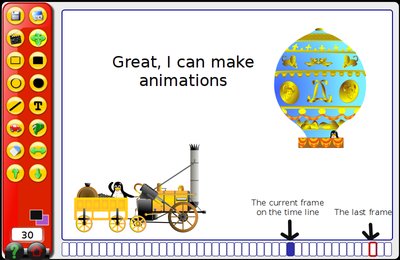
I wanted to make a film in GCompris recently. GCompris is an educational suite for children.

There is an animation program in the suite and I wanted to integrate my own characters (the set included is limited). There is a directory with a Readme file which says: All custom images in here.

Well: I can put custom images into this directory. The software stores animation sequences into this directory as well. So far so good.

Unfortunately, I cannot add my own characters to the application or my film for that.

I'm still looking for a way to add my own characters to the film. Keep you posted (appreciate hints all the same).

PS: Tyler has an important hint on how to do this. I think it's worth for everyone to read his comment. Tyler, thanks.

Friday, 10 October 2008

Lost notification icons

Sometimes I loose my notification area. This is where programs like Firestarter or Network manager put their icons to inform you about some system state.

Here is how I get them back (this is mainly a reminder as it always takes me some hours to refigure out the procedure):
  • In the area where you want to see the notification ...+ Add to panel...
  • scroll down to Notification area
  • click Add...
should do the trick.

Sunday, 31 August 2008

Dovecot terminates unexpectedly

Recently my dovecot IMAP server died regularly. In my log files I found the following message:
...
dovecot: 2008-08-31 09:12:50 Fatal: Time just moved backwards by 11 seconds. This might cause a lot of problems, so I'll just kill myself now. http://wiki.dovecot.org/TimeMovedBackwards
...
The wiki describes the cause - the clock of my server is not in sync - but does not offer much of help. Usage of ntp is suggested.

Openntpd syncs the system clock but does not slow it down (effectively causing the same problem). ntp offers to slow down the clock with side effects to database and CMS.

Examination of the logfile reveals that webmin runs a time sync just before dovecots unnatural death. OK, here's the cause.
...
Aug 31 09:13:01 myserver /USR/SBIN/CRON[12345]: (root) CMD (/etc/webmin/time/sync.pl)
dovecot: 2008-08-31 09:12:50 Fatal: Time just moved backwards by 11 seconds. This might cause a lot of problems, so I'll just kill myself now. http://wiki.dovecot.org/TimeMovedBackwards
...
Restarting dovecot right after the time sync will solve the problem. You can do that from the webmin user interface:
System/Scheduled Cron Job/Create a new scheduled cron job
enter
/etc/init.d/dovecot restart
select time right after /etc/webmin/time/sync.pl
and you are done.

Sunday, 15 June 2008

Updating VMWare Server, MUI and Console

Updating VMware Server 1.0.5 to 1.0.6 works fine. However, installing VMware MUI afterwards breaks with VMware MUI 1.0.6.
VMware Server must be installed on this machine for the VMware Management Interface to work
Installation aborts.

In order to fix this I had to remove the library libgcc_s.so.1 in /usr/lib/vmware/lib/libgcc_s.so.1:
mv libgcc_s.so.1 libgcc_s.so.1_orig
Installation of MUI worked fine afterwards.

In order to start the management interface during the next reboot one has to add a few lines at the beginning of /etc/init.d/httpd.vmware:
RUNDIR="/var/run/vmware/httpd"
OWNER="www-data"
GROUP="www-data"

/usr/bin/test -d "$RUNDIR" || \
/bin/mkdir -p "$RUNDIR" && /bin/chown "$OWNER:$GROUP" "$RUNDIR"
Now, the management interface survives a reboot.

This workaround fixed the installation problem of the server console on the workstation as well.

Sunday, 27 April 2008

VMware 6.03 on Ubuntu 8.04 compile error

After upgrading Ubuntu to 8.04, I ran into an error reconfiguring VMware with vmware-config.pl:
include/asm/bitops_32.h:9:2: error: #error only can be included directly, and vmmon-only compile failes
I found a helpful blog describing 10 easy steps to fix the problem. Here is the list of steps (security issues corrected)
  1. cd /usr/lib/vmware/modules/source
  2. cp vmmon.tar vmmon.tar.orig
  3. sudo tar xvf vmmon.tar
  4. cd vmmon-only/include/
  5. sudo vi vcpuset.h
  6. change line 74 from: #include “asm/bitops.h” to: #include “linux/bitops.h”
  7. rm vmmon.tar
  8. sudo tar cvf vmmon.tar vmmon-only/
  9. sudo rm -rf vmmon-only/
  10. sudo vmware-config.pl
After this, I could start VMware. Robert, thank you.

Saturday, 26 April 2008

VMware Server console in 8.04

After upgrading Ubuntu 7.10 to 8.04 my VMware Server console would not start:
wolf@wb:~$ vmware-server-console
/usr/lib/vmware-server-console/bin/vmware-server-console: /usr/lib/vmware-server-console/lib/libgcc_s.so.1/libgcc_s.so.1: version `GCC_3.4' not found (required by /usr/lib32/libcairo.so.2)
/usr/lib/vmware-server-console/bin/vmware-server-console: /usr/lib/vmware-server-console/lib/libgcc_s.so.1/libgcc_s.so.1: version `GCC_4.2.0' not found (required by /usr/lib32/libstdc++.so.6)
/usr/lib/vmware-server-console/bin/vmware-server-console: /usr/lib/vmware-server-console/lib/libgcc_s.so.1/libgcc_s.so.1: version `GCC_3.4' not found (required by /usr/lib32/libcairo.so.2)
/usr/lib/vmware-server-console/bin/vmware-server-console: /usr/lib/vmware-server-console/lib/libgcc_s.so.1/libgcc_s.so.1: version `GCC_4.2.0' not found (required by /usr/lib32/libstdc++.so.6)
/usr/lib/vmware-server-console/bin/vmware-server-console: /usr/lib/vmware-server-console/lib/libgcc_s.so.1/libgcc_s.so.1: version `GCC_3.4' not found (required by /usr/lib32/libcairo.so.2)
/usr/lib/vmware-server-console/bin/vmware-server-console: /usr/lib/vmware-server-console/lib/libgcc_s.so.1/libgcc_s.so.1: version `GCC_4.2.0' not found (required by /usr/lib32/libstdc++.so.6)
I found a helpful link here. The resolution would not work for me (as you can see in the error messages above. However, removing the library libgcc_s.so.1 did the trick.
root@wb:/usr/lib/vmware-server-console/lib/libgcc_s.so.1# mv libgcc_s.so.1 libgcc_s.so.1_orig
Now the console works fine.